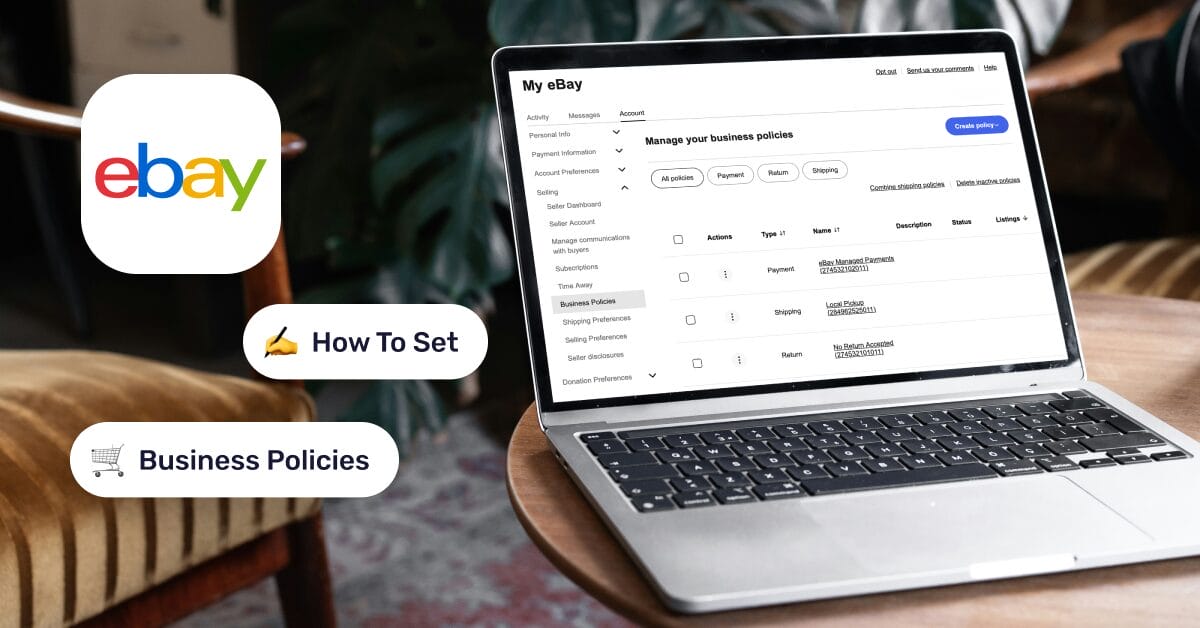
eBay is a highly profitable marketplace for dropshippers who know how to maximize its potential, and doing so correctly starts with mastering eBay Business Policies. These are the essential rules governing your payment methods, delivery timelines, and return conditions.
By optimizing these policies, you ensure smoother operations, which directly translates into healthier profit margins and better scalability.
Moreover, when you combine precise policy management with automation, your store’s growth potential increases significantly.
➡️ AutoDS seamlessly integrates with eBay dropshipping, automating key tasks so you can reclaim your time and focus on the high-priority aspects of your business.
eBay Business Policies are essential for scaling, even in 2026.
Shipping and return settings directly impact ranking and conversions.
Accurate handling time is more important than just offering fast delivery.
Policy templates save time and ensure consistency across listings.
Automation tools like AutoDS help apply policies faster and reduce errors.
What Are eBay Business Policies?
eBay Business Policies are professional terms that serve as the operational framework for your business, specifically covering payments, shipping, and returns. These policies guide your customers through their purchasing journey; the clearer you are, the better the buyer experience, which significantly increases the likelihood of repeat business.
These policies act as the operational backbone for any professional seller. They align your eBay store with your supplier’s capabilities. Setting these up correctly is the only way to protect your seller metrics and ensure that your business remains compliant with eBay’s evolving marketplace standards.
Who Needs Business Policies in 2026?
In 2026, any dropshipper seeking a sustainable business model must align with these policies. They are a key requirement for eBay operations; professional dropshippers need them to maintain a professional edge and qualify for the platform’s top-tier benefits.
Furthermore, integrating your store with AutoDS becomes much more efficient when these policies are in place, as the system uses them to standardize every new listing you add to your catalog.
Are eBay Business Policies Still Relevant in 2026?

While eBay has introduced advanced AI-driven tools and new marketing modules, the core structure of Payment, Shipping, and Returns remains centralized within these policies. What has remained consistent is their role as the “instruction manual” for your store, allowing you to instantly bulk-apply rules across thousands of listings. This remains the only way to maintain a professional edge while managing a diverse inventory from multiple suppliers.
While newer tools and marketing features have been introduced, Business Policies continue to define what you offer, while other systems influence how your listings are surfaced and promoted.
Tools like AutoDS help maintain consistency across listings and make it easier to adjust configurations in bulk as marketplace expectations evolve. To make everything easier, try AutoDS yourself!
Business Policies vs. Newer eBay Settings
It’s key to understand that there hasn’t been a structural change to eBay Business Policies. What has changed is the context in which they operate: eBay now weighs the outcomes of your policies more heavily, especially factors such as handling time, shipping speed, and return windows.
In 2026, buyers are placing greater emphasis on easily comparable factors such as delivery speed and return conditions. Listings that align with category expectations in these areas tend to perform better, both in search visibility and conversion rates.
This means business policies can no longer be treated as static settings; they need to evolve alongside market standards.
Types of eBay Business Policies Explained
Every eBay listing is controlled by three core Business Policies: payment, shipping, and return policies. They directly influence how your listings perform in search results and how likely buyers are to convert.
eBay now places greater weight on factors such as delivery speed, return flexibility, and the overall buying experience. This means the way you configure these policies can directly affect your visibility and sales. Let’s break them down:
Payment Policies
Payment policies define how buyers complete their purchases, including accepted payment methods and transaction settings. Today, most sellers operate under eBay-managed payments, which standardizes much of the payment process.
Because of this, payment policies are less of a competitive lever compared to shipping or returns. However, misconfigurations can still create friction at checkout, leading to abandoned purchases or failed transactions. Keeping this policy clean and aligned with eBay’s default systems ensures a smooth buying experience.
Shipping Policies
Shipping policies are one of the most important performance drivers on eBay. They determine your handling time, delivery estimates, and shipping costs; all key factors in both ranking and conversion.
Listings with faster handling times and clear, competitive delivery options tend to perform significantly better, especially in saturated categories. Buyers often compare multiple listings based on how quickly they can receive the item, making shipping speed a decisive factor.
For dropshippers, this becomes even more critical. If your supplier’s delivery times don’t align with your stated policy, it can lead to negative feedback and lower seller performance metrics.
Return Policies
In competitive categories, return conditions are often one of the final decision-making factors. A stricter return policy can push buyers toward other sellers offering more flexibility. At the same time, overly generous return policies without proper management can impact your margins, so finding the right balance is key.
Individually, these policies are simple. But when applied across dozens or hundreds of listings, manual management becomes inefficient and error-prone.
AutoDS helps solve this by allowing you to standardize and apply your shipping, return, and handling settings across all your listings in bulk. This ensures consistency, reduces manual work, and keeps your store aligned with eBay’s evolving performance expectations.
How to Set Up eBay Business Policies (Step-by-Step)

Now it’s time to get to work. Setting up configurations might not be the most exciting part of running a business, but it’s absolutely necessary. The good news is that with this step-by-step guide, it shouldn’t be difficult at all.
Step 1: Enable Business Policies in Your Account
Before creating any policies, you need to enable the Business Policies feature in your eBay account.
This option is not always activated by default. Once enabled, you’ll gain access to the policy dashboard, where you can create and manage templates for payment, shipping, and returns.
If you’re planning to automate your store with AutoDS, this step is essential. AutoDS requires pre-configured policies so you can assign them instantly when importing products.
Step 2: Create a Payment Policy
Start by creating your payment policy. In most cases, this will be the same across all your listings.
With eBay-managed payments, setup is straightforward. The key configuration is enabling immediate payment, ensuring that buyers complete the transaction before the order is processed.
Since this policy is usually universal, you can set it as your default and apply it automatically to all listings.
Step 3: Create a Shipping Policy
Next, set up your shipping policy, one of the most important elements for performance. Define:
- Handling time
- Delivery service and estimated timeframe
- Shipping cost (free shipping is typically more competitive)
Your shipping policy should reflect your supplier’s actual delivery capabilities. Overpromising faster delivery than your supplier can handle can lead to late shipments and negatively impact your account.
Many sellers create multiple shipping policies based on supplier location (e.g., US vs. China), allowing them to assign the correct settings to each product.
Step 4: Create a Return Policy
Return policies define how flexible your store is with refunds and exchanges. Set:
- Return window (e.g., 30 or 60 days)
- Who pays for return shipping
- Whether exchanges are accepted
More flexible return policies tend to improve conversion rates, but they must be aligned with your supplier’s terms to avoid unexpected costs.
As with shipping, you may need different return policies depending on your supplier or region.
Step 5: Assign Policies to Listings
Once your policies are created, you can assign them to your listings.
This can be done directly on eBay or through automation tools like AutoDS. Instead of manually configuring each listing, AutoDS lets you select the appropriate policy template during the product import process.
This is where Business Policies become truly powerful. With the right setup, you can apply consistent settings across dozens or hundreds of listings in seconds, keeping your store organized and aligned with eBay’s expectations as you scale.
Where to Find and Edit Your Policies on eBay
In dropshipping, a lot depends on how quickly you can handle day-to-day tasks. As a beginner, it’s easy to get stuck on small details simply because you’re not sure how to solve them. That’s why in this section, we’ll walk through where to find and edit your policies in a simple way.
You can access your policies through your Seller Hub or directly via your account settings. Inside the dashboard, you’ll find a list of all your existing policies, organized by type:
- Payment
- Shipping
- Return
Each policy is saved as a template, which you can edit, duplicate, or set as the default. This centralized view makes it easy to manage multiple suppliers or regions without having to handle each listing individually.
One of the main advantages of Business Policies is the ability to update multiple listings at once. Instead of editing each product manually, you can modify an existing policy template or create a new one and assign it to multiple listings
eBay also allows you to reassign listings from one policy to another, which is especially useful when switching suppliers or updating shipping conditions.
⚠️ Keep the following in mind: when you update a policy, the changes apply to all listings using that policy. This makes updates efficient, but it also means mistakes can impact your entire store. Creating a new policy instead gives you more control and reduces the risk of unintended changes.
A common approach is to create a new policy with the updated settings and then reassign listings to it.
Best Practices for eBay Business Policies in 2026
The way you configure your shipping, returns, and policy structure directly impacts how competitive your listings are in both search results and buyer decision-making.
Faster handling times and realistic delivery estimates consistently lead to better visibility and higher conversion rates. At first glance, speed is all that matters, but accuracy is just as important.
Setting overly aggressive handling times that your supplier can’t meet can result in late shipments and negatively affect your seller’s performance. A safer approach is to start slightly conservative and improve as you validate your supplier’s delivery consistency.
🔙 When it comes to return policies, it’s important to understand that listings with 30-day or longer return windows tend to perform better, especially in categories where buyers compare multiple sellers.
That said, your return policy should always reflect your supplier’s actual conditions. Offering more flexibility than your supplier supports can quickly turn into a loss.
When it comes to international shipping, the strategy depends heavily on your supplier. Many sellers using US-based suppliers choose to focus only on domestic shipping to maintain faster delivery times and avoid unnecessary complexity.
On the other hand, working with international suppliers can open the door to global markets, but it requires careful configuration of shipping times, costs, and exclusions to avoid unexpected issues.
📦 Supplier’s Tip: The supplier is a key factor in any dropshipping business. Find a list of reliable, private, and supported suppliers on AutoDS!
Naming your policies correctly is another key factor. As your store grows, having clear naming conventions becomes essential. Instead of generic names, using structured labels like “US – 3 Day Handling – Free Shipping” or “China – 5 Day Handling – Economy Shipping” makes it much easier to assign the correct policy and avoid mistakes when managing multiple suppliers.
Finally, scalability depends on how efficiently you manage all of this. Manually updating policies across multiple listings is not sustainable as your store grows.
AutoDS helps streamline this process by allowing you to apply the right policy settings during product import and maintain consistency across your entire catalog without manual work.



Common eBay Business Policy Mistakes (And How to Fix Them)
Even though eBay Business Policies are designed to simplify your workflow, small misconfigurations can lead to visibility issues, poor performance, or operational headaches. Below are the most common mistakes sellers make, and how to fix them efficiently.
Policies Not Showing in Listings
❌ The problem: You’ve created your policies, but they don’t appear when listing a product or importing items.
Why does it happen:
- Business Policies are not enabled in your account
- Policies were not saved correctly
- The listing tool or integration isn’t synced with your policy templates
How to fix it:
- Make sure Business Policies are enabled in your eBay account
- Double-check that your policies are active and saved
- If you’re using AutoDS, ensure policies are created before importing products
Conflicts With eBay Account Settings
❌ The problem: Certain policy options don’t behave as expected or create inconsistencies in your listings.
Why does it happen:
- eBay-managed payments override older payment configurations
- Category-specific rules may limit certain shipping or return options
- Account-level settings conflict with policy templates
How to fix it:
- Align your payment policy with eBay-managed payments (standard for most sellers)
- Review category requirements when setting shipping and return conditions
- Keep policies simple and avoid unnecessary custom configurations
Duplicate or Outdated Policies
❌ The problem: You end up with multiple similar policies, making it confusing to assign the correct one.
Why does it happen:
- Creating new policies without removing or updating old ones
- Working with multiple suppliers without a clear structure
- No naming convention in place
How to fix it:
- Use clear, structured naming (e.g., “US – 3 Day Handling – Free Shipping”)
- Regularly review and clean up unused or outdated policies
- Avoid creating duplicates unless there’s a clear difference in settings
Performance Risks
❌ The problem: Your listings lose visibility or generate negative feedback due to poor performance.
Why does it happen:
- Handling times that don’t match actual fulfillment speed
- Return policies that don’t align with your supplier
- Overpromising delivery times to stay competitive
How to fix it:
- Set realistic handling times based on supplier performance
- Align return policies with actual supplier conditions
- Prioritize consistency over aggressive promises
📦 Supplier’s Tip: Always try to order product samples before committing to a supplier. This way, you can evaluate their performance in terms of shipping times, product quality, stock, etc.
Manual Management Bottlenecks
❌ The problem: Updating policies across multiple listings becomes slow and error-prone.
Why does it happen:
- Managing each listing individually
- No system for applying policies at scale
How to fix it:
- Use policy templates consistently across listings
- Apply the correct policies during product import using AutoDS
- Update policies in bulk instead of editing listings one by one
How AutoDS Helps Manage eBay Business Policies
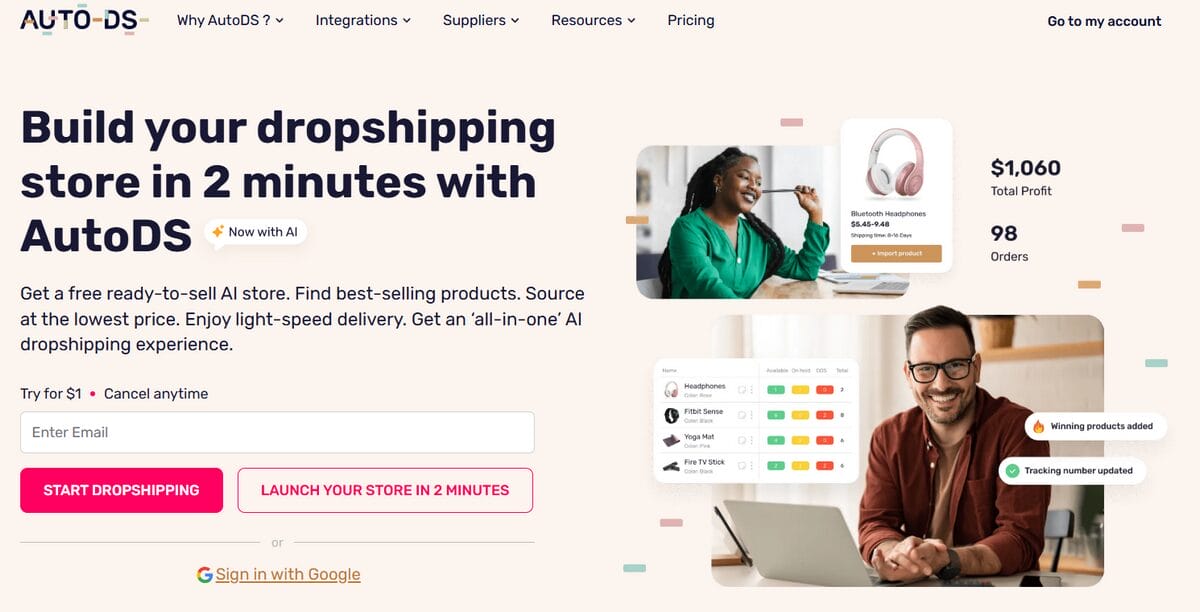
Managing eBay Business Policies manually is manageable at the beginning, but it quickly becomes inefficient as your store grows. When you’re working with multiple suppliers, regions, and delivery conditions, keeping policies consistent across all listings can be time-consuming and tedious. Let’s see how we can leverage automation:
Policy Automation and Templates
Once your policies are created in eBay, AutoDS allows you to apply those templates directly when importing products. Instead of manually selecting payment, shipping, and return settings for each listing, you can assign the correct policy in just a few clicks.
This ensures that every product is configured correctly from the start, reducing setup time and improving consistency.
Bulk Listing and Policy Assignment
One of the biggest advantages of using AutoDS is the ability to scale your listing process.
When adding multiple products, AutoDS lets you:
- Select predefined policy templates
- Apply them consistently during the listing/import process
- Maintain consistent settings without repetitive manual work
This becomes especially important when working with different suppliers (e.g., US vs. China), each of which requires a different shipping and return setup.
Do You Still Need Business Policies to Scale on eBay?
Yes, if you want to scale efficiently on eBay, Business Policies are still essential.
They provide the structure needed to consistently manage your listings, especially when working with multiple products, suppliers, or regions. Without them, every listing would require manual configuration of payment, shipping, and return settings, which quickly becomes unsustainable as your store grows.
Business Policies are particularly important when:
- You manage a large catalog
- You work with different suppliers (e.g., US and China)
- You need to maintain consistent handling times, shipping options, and return conditions
In these scenarios, policies allow you to standardize your operations and avoid constant manual adjustments.
Some sellers choose to skip Business Policies altogether, especially when starting out with a small number of listings. While this might seem simpler at first, it introduces several risks. Manual setups increase the likelihood of inconsistent settings, errors in shipping or return conditions, and slower listing workflows.
Over time, this lack of structure can impact both efficiency and performance. Inconsistent policies can lead to buyer confusion, negative feedback, or listings that are less competitive compared to those of sellers with optimized configurations.
From a scaling perspective, the difference becomes clear. Sellers who rely on manual configuration eventually hit a limit; they spend more time managing listings than growing their business. In contrast, using Business Policies as a foundation allows you to build a repeatable system.
Frequently Asked Questions
What are eBay’s business policies, and do I still need them in 2026?
eBay Business Policies are templates that define your payment, shipping, and return settings across listings. In 2026, they remain essential for scaling because they enable consistent configurations across multiple products, improving efficiency and helping maintain competitive shipping and return conditions.
How do I enable business policies on eBay?
You can enable Business Policies through your eBay account settings or Seller Hub. Once activated, you’ll gain access to the policy dashboard, where you can create and manage templates for payment, shipping, and returns before applying them to your listings.
Why can’t I see business policies in my eBay account?
If you can’t see Business Policies, it’s usually because the feature hasn’t been enabled yet. In some cases, it may also be due to account settings, selling format, or region. Enabling the feature manually typically resolves the issue.
What is the difference between eBay business policies and listing settings?
Business Policies are reusable templates, while listing settings are applied to each product individually. Policies allow you to standardize payment, shipping, and returns across multiple listings, whereas manual settings require you to configure each listing separately.
Can I edit a policy without affecting live listings?
If you edit an existing policy, the changes will automatically apply to all listings using that policy. To avoid unintended changes, a safer approach is to create a new policy and then reassign listings to it.
What is the best return policy for eBay dropshipping?
In most cases, a 30-day or longer return window is considered competitive on eBay. However, the best policy is one that aligns with your supplier’s terms, allowing you to offer flexibility to buyers without incurring unexpected costs.
How many business policies should I create on eBay?
You should create as many policies as needed to match your suppliers and regions. For example, different suppliers (US vs. China) or different shipping speeds may require separate policies to keep your listings accurate and consistent.
Can I automate eBay policies across multiple listings?
You can’t automate policy creation directly through eBay, but you can streamline how they’re applied. Tools like AutoDS allow you to assign existing policy templates during the product import process, helping you maintain consistency across multiple listings without manual setup.
Choose the Right Supplier Strategy with AutoDS
eBay Business Policies haven’t changed structurally, but their role in your store’s performance has. In 2026, they’re part of how you stay competitive.
Shipping speed, return flexibility, and consistent configurations directly influence how your listings perform and how buyers make decisions. Sellers who treat policies as unimportant often fall behind, while those who actively manage and optimize them build more reliable, scalable operations.
The real advantage comes from combining structure with efficiency.
Instead of manually configuring every listing, you can use Business Policies as your foundation and let automation handle the execution. AutoDS allows you to apply the right policy templates during the listing process, maintain consistency across your store, and avoid costly mistakes as you grow.
If you’re serious about scaling your eBay dropshipping business, this is the shift: set your policies once, optimize them over time, and automate everything else.
👉 To make everything easier, try AutoDS yourself and start building a more efficient, scalable store today.
To continue learning about eBay, e-commerce, and dropshipping, check out the following articles!
- What Are eBay Business Policies?
- Are eBay Business Policies Still Relevant?
- Types Of eBay Business Policies Explained
- How To Set Up eBay Business Policies
- Where To Find And Edit Your eBay Policies
- Best Practices For eBay Business Policies
- Common Mistakes And How To Fix Them
- How AutoDS Helps With Business Policies
- Do You Still Need Policies To Scale?
- FAQ
- Conclusion